PEEKBOX - Service Manuals
2 manuals available for download
PEEKBOX multimedia players have earned their place in professional Cinema & Video setups, and finding the right documentation is essential for owners and technicians alike. Our catalog provides comprehensive service manuals, repair guides, and user manuals in PDF format, allowing you to access detailed technical information whenever you need it. Whether you're troubleshooting an issue, performing maintenance, or consulting a parts list, our downloadable workshop and owner's manuals deliver the guidance required to keep your equipment running smoothly. Access the documentation you need instantly—no shipping delays, just immediate PDF downloads.
PEEKBOX 2 and 3 Multimedia Player User Manual
User manual for the PEEKBOX 2 and PEEKBOX 3 multimedia players, providing complete setup and operation guidance. Covers safety instructions, full specifications, front panel controls and remote control functions, step-by-step hard disk installation and formatting procedures for Windows 98/ME and Windows 2000/XP systems, audio and video connection methods, menu configuration, and practical troubleshooting advice. Details support for MPEG1/2, DivX, XviD, and DVD video playback, MP3, WMA, and OGG audio formats, and JPEG photo display. Includes instructions for the optional remote control receiver to expand system functionality.
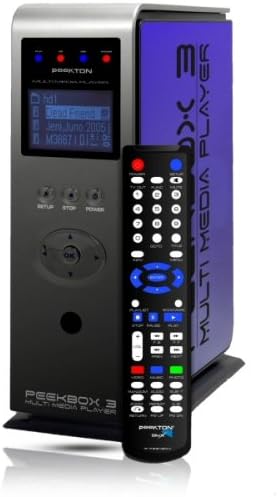
PEEKBOX 3 MKII Multimedia Player User Manual
Complete user manual for the PEEKBOX 3 MKII multimedia player covering setup and operation. Details product specifications, hard drive installation and formatting, and proper audio and video connections for your home theater setup. Learn to navigate the on-screen menu system, use remote control functions, and play back video in MPEG1/2, DivX, and XviD formats, plus audio files in MP3, OGG, WMA, and AC3, JPEG images, and VCD content. Includes step-by-step USB connectivity, firmware initialization, and Windows driver installation for 98SE, ME, 2000, XP, and Vista systems. A dedicated troubleshooting section addresses common playback and connectivity issues. Essential reference for configuring and maintaining your multimedia player.