Acer Travelmate 2310 Machine Disassembly and Replacement
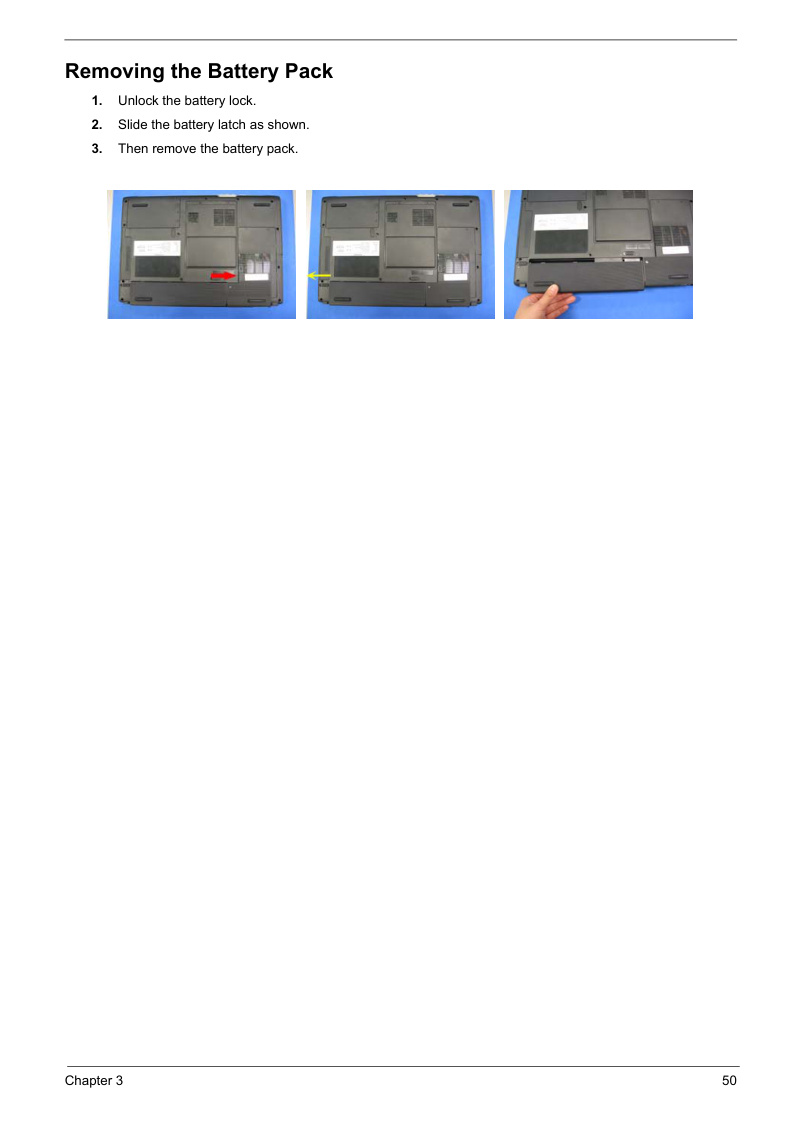
Chapter 3 from the Acer Travelmate 2310 service manual providing comprehensive disassembly and replacement procedures for this notebook computer. Covers sequential removal of the battery pack, hard drive module, memory modules, wireless LAN card, thermal module, CPU, optical drive module, and main chassis components. Includes a detailed disassembly flowchart, complete screw specifications with torque and size information, and step-by-step photographs documenting each removal sequence. An essential reference for technicians and experienced users performing component replacement or maintenance on the Travelmate 2310.
Documentation must be downloaded on a computer (PC, Mac, or Linux).
Do not use a smartphone or tablet to download documentation; they generally lack sufficient memory capacity to handle large files, and few users know how to locate the download folder on these devices.
Once downloaded, you can use it right away and even print the pages you need, or use your smartphone in photo mode to translate into the language of your choice: Google Translate
Document Details
- Format
- Pages
- 16
- Size
- 1.1 MB
- Category
- Computers & IT