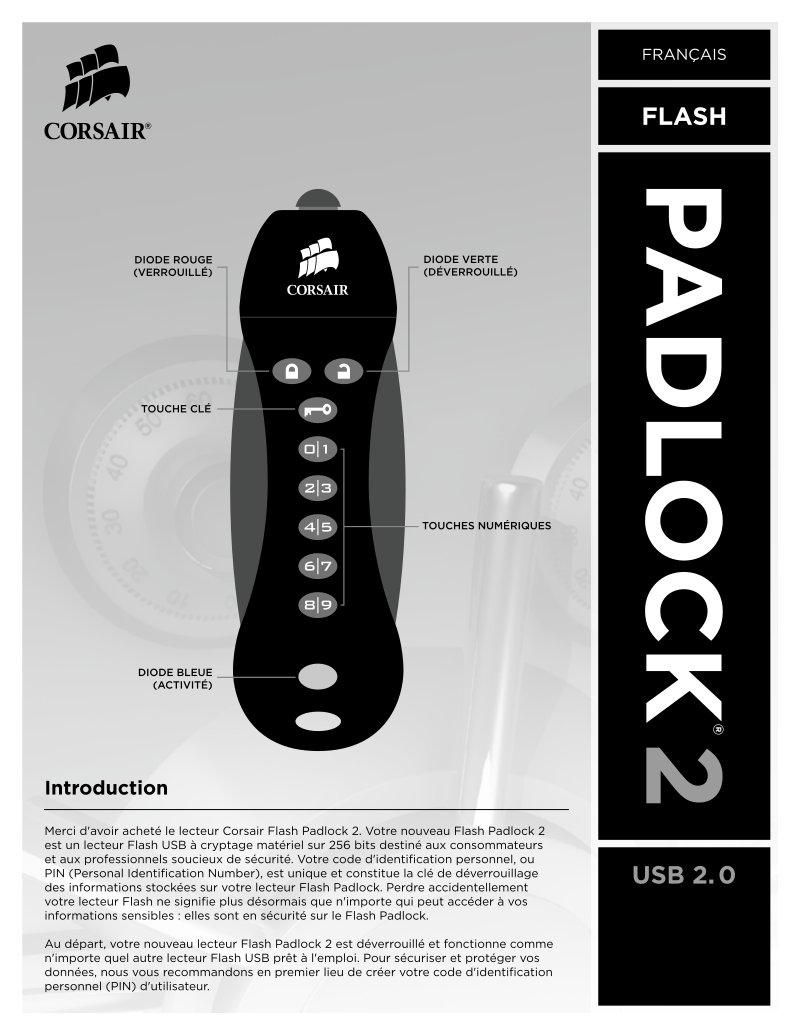
Corsair Flash Padlock 2 User Manual
Complete user manual for the Corsair Flash Padlock 2, a hardware-encrypted USB 2.0 flash drive featuring 256-bit AES encryption for secure portable storage. This guide covers initial setup, PIN creation for user and administrator access levels, device locking and unlocking workflows, and full troubleshooting procedures. You'll learn how to establish your personal identification number (PIN), configure tiered access controls, and interpret the LED indicator system for real-time device status. The manual includes step-by-step instructions for password recovery using the master PIN, explains the multi-layer security architecture designed to prevent unauthorized access, documents the progressive lockout mechanism that activates after repeated failed PIN entries, and covers battery charging and maintenance. LED behavior is detailed across all operating states—locked, unlocked, active data transfer, and error conditions. Additional sections address forgotten PIN recovery procedures and the anti-hacking detection protocol that permanently disables the device after a set number of failed access attempts to prevent brute-force attacks.
Documentation must be downloaded on a computer (PC, Mac, or Linux).
Do not use a smartphone or tablet to download documentation; they generally lack sufficient memory capacity to handle large files, and few users know how to locate the download folder on these devices.
Once downloaded, you can use it right away and even print the pages you need, or use your smartphone in photo mode to translate into the language of your choice: Google Translate
Document Details
- Format
- Pages
- 5
- Size
- 252.9 KB
- Category
- Computers & IT