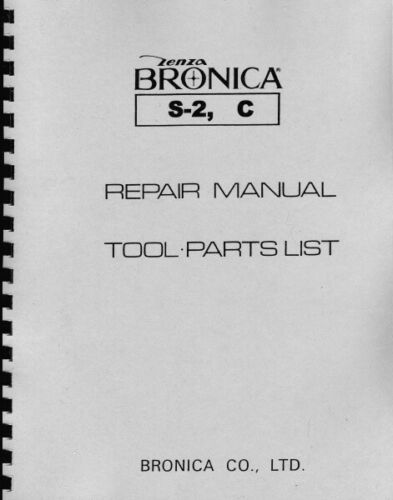
Bronica ETRSI Repair Manual
 by ZENZA BRONICA
This comprehensive repair manual for the Bronica ETRSI covers the complete 6x4.5 professional medium-format SLR system. The workshop manual details disassembly and reassembly procedures for all major subassemblies—rear cover, film advance unit, shutter release mechanism, brake system, operating ring, and viewfinder module—each accompanied by numbered technical diagrams and precise parts listings. Critical adjustment sections address the 45° mirror, focusing system alignment, and essential mechanical settings. A complete troubleshooting guide identifies common problems including film advance failure, shutter release jamming, and sluggish mirror movement, with potential causes and recommended repair approaches. Wiring diagrams pinpoint electrical components and test points for systematic diagnostics. Reassembly procedures emphasize application of specified lubricants (Liqui-Moly greases and clock oils) and precautions against binding and misalignment. The progressive structure guides technicians from fundamental disassembly through precision adjustments of optical and mechanical systems. Exploded views and detailed part reference numbers ensure accurate component identification and sourcing throughout the service process.
Table of Contents:
- Right cover removal — P-1
- Winding unit removal — P-3
- S. latch set removal — P-5
- Shutter release button removal — P-6
- E. release unit removal — P-7
- Set lever removal — P-8
- Mirror operating lever removal — P-9
- Related operations - — P-12
- Mirror frame and light tight frame removal — P-13
- Left cover removal — P-15
- Circuit board names and wiring diagram 1 — P-16
- Upper frame/AE. connector removal — P-17
- Lens connector removal — P-18
- Shutter circuit unit removal — P-19
- Tripod shoe removal — P-22
- Film backs exchange function removal — P-23
- Shutter release function removal — P-24
- Battery box removal — P-25
- Brake mechanism removal — P-26
- Operating ring removal — P-27
- Front cover removal — P-28
Documentation must be downloaded on a computer (PC, Mac, or Linux).
Do not use a smartphone or tablet to download documentation; they generally lack sufficient memory capacity to handle large files, and few users know how to locate the download folder on these devices.
Once downloaded, you can use it right away and even print the pages you need, or use your smartphone in photo mode to translate into the language of your choice: Google Translate
Document Details
- Format
- Size
- 7.4 MB
- Category
- Photography