EPSON - Epson SP4000 FieldRepair
Field repair manual for the EPSON Stylus Pro 4000 large-format printer. This 231-page service manual is built for technical support staff and maintenance professionals who need to diagnose and repair this professional photo printer in the field. The manual covers diagnostic procedures, troubleshooting steps, and repair instructions specific to the Stylus Pro 4000. You'll find methodical repair procedures, component references, and preventive maintenance guidance—the kind of practical information that helps you identify what's gone wrong, execute the fix, and get the printer back online. Designed to work as a portable reference for on-site work, this repair guide complements EPSON technical documentation and gives authorized service providers and support centers the detail they need to handle common failures and keep equipment running.
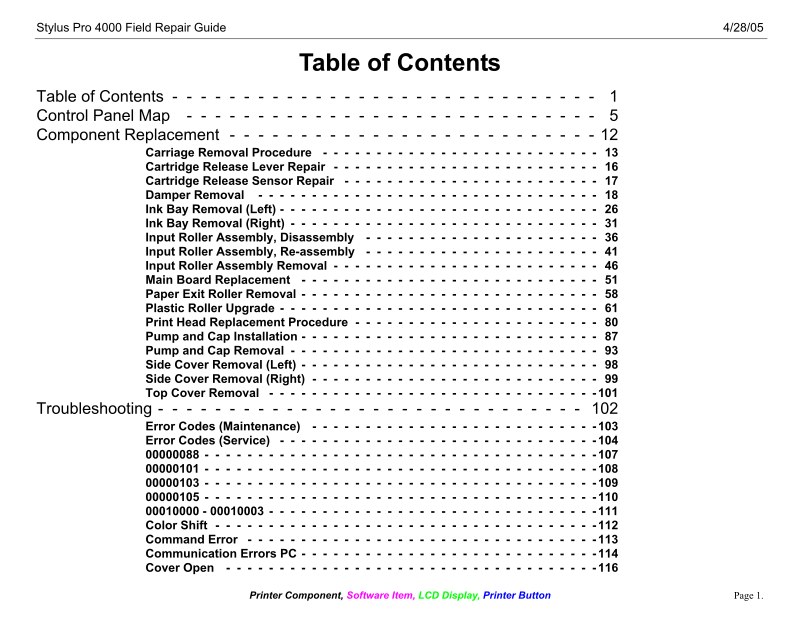
Table of Contents:
- Stylus Pro 4000 Field Repair Guide
- Printer Component, Software Item, LCD Display, Printer Button
- Page 1.
- Table of Contents - - - - - - - - - - - - - - - - - - - - - - - - - - - - - - 1
- Control Panel Map - - - - - - - - - - - - - - - - - - - - - - - - - - - - - 5
- Component Replacement - - - - - - - - - - - - - - - - - - - - - - - - - - 12
- Carriage Removal Procedure - - - - - - - - - - - - - - - - - - - - - - - - - - 13
- Cartridge Release Lever Repair - - - - - - - - - - - - - - - - - - - - - - - - - 16
- Cartridge Release Sensor Repair - - - - - - - - - - - - - - - - - - - - - - - - 17
- Damper Removal - - - - - - - - - - - - - - - - - - - - - - - - - - - - - - - - 18
- Ink Bay Removal (Left) - - - - - - - - - - - - - - - - - - - - - - - - - - - - - - 26
- Ink Bay Removal (Right) - - - - - - - - - - - - - - - - - - - - - - - - - - - - - 31
- Input Roller Assembly, Disassembly - - - - - - - - - - - - - - - - - - - - - - 36
- Input Roller Assembly, Re-assembly - - - - - - - - - - - - - - - - - - - - - - 41
- Input Roller Assembly Removal - - - - - - - - - - - - - - - - - - - - - - - - - 46
- Main Board Replacement - - - - - - - - - - - - - - - - - - - - - - - - - - - - 51
- Paper Exit Roller Removal - - - - - - - - - - - - - - - - - - - - - - - - - - - - 58
- Plastic Roller Upgrade - - - - - - - - - - - - - - - - - - - - - - - - - - - - - - 61
- Print Head Replacement Procedure - - - - - - - - - - - - - - - - - - - - - - - 80
- Pump and Cap Installation - - - - - - - - - - - - - - - - - - - - - - - - - - - - 87
- Pump and Cap Removal - - - - - - - - - - - - - - - - - - - - - - - - - - - - - 93
- Side Cover Removal (Left) - - - - - - - - - - - - - - - - - - - - - - - - - - - - 98
- Side Cover Removal (Right) - - - - - - - - - - - - - - - - - - - - - - - - - - - 99
- Top Cover Removal - - - - - - - - - - - - - - - - - - - - - - - - - - - - - - -101
- Troubleshooting - - - - - - - - - - - - - - - - - - - - - - - - - - - - - - 102
- Error Codes (Maintenance) - - - - - - - - - - - - - - - - - - - - - - - - - - -103
- Error Codes (Service) - - - - - - - - - - - - - - - - - - - - - - - - - - - - - -104
- Color Shift - - - - - - - - - - - - - - - - - - - - - - - - - - - - - - - - - - - -112
- Command Error - - - - - - - - - - - - - - - - - - - - - - - - - - - - - - - - -113
- Communication Errors PC - - - - - - - - - - - - - - - - - - - - - - - - - - - -114
- Cover Open - - - - - - - - - - - - - - - - - - - - - - - - - - - - - - - - - - -116
Documentation must be downloaded on a computer (PC, Mac, or Linux).
Do not use a smartphone or tablet to download documentation; they generally lack sufficient memory capacity to handle large files, and few users know how to locate the download folder on these devices.
Once downloaded, you can use it right away and even print the pages you need, or use your smartphone in photo mode to translate into the language of your choice: Google Translate
Document Details
- Format
- Pages
- 231
- Size
- 40.8 MB
- Category
- Photography